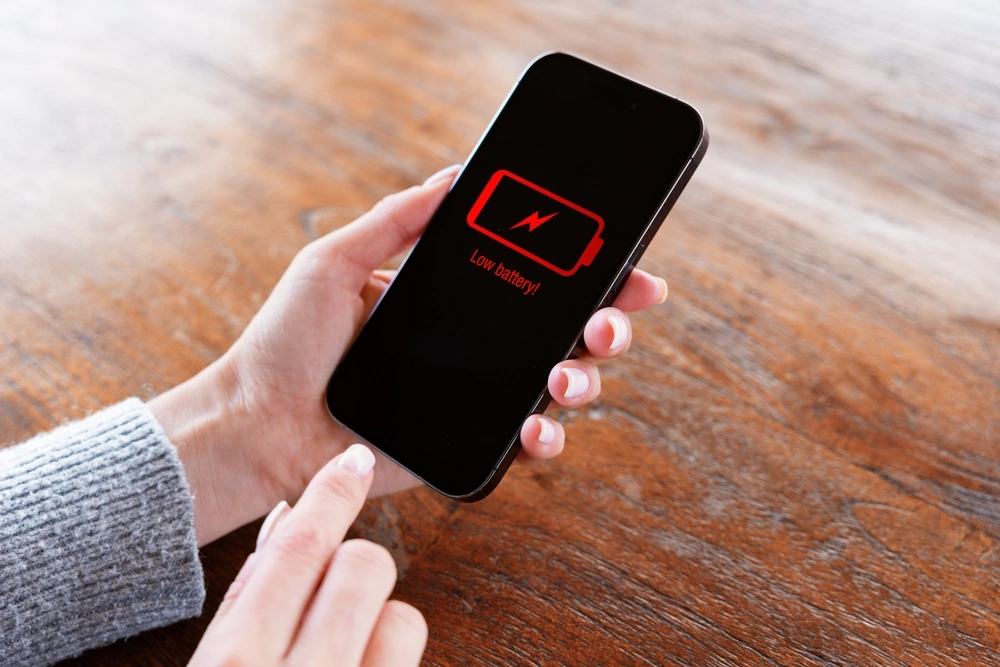
We’ve all experienced it: your phone starts the day fully charged, but by lunchtime, it’s already struggling at 20%. You haven’t been doing much, just checking emails or browsing social media, so why is your battery power draining so fast? The good news is that this rapid drain is usually caused by common issues that can be fixed. In this guide, we’ll explore the top reasons why your phone battery is draining quickly and provide simple solutions to help your phone battery last longer throughout the day.
9 Common Causes of Rapid Battery Drain
Let’s pull back the curtain and expose the main characters in this battery-draining drama. These are the usual suspects, the common offenders that, more often than not, are behind your phone’s premature demise.
1. Background App Refresh
Imagine you’re trying to save water, but there’s a hidden tap in your house that’s constantly dripping, even when you’re not using it. That’s background app refresh. Many apps, by default, are set to constantly fetch new data in the background, think social media feeds updating, email syncing, weather apps checking forecasts, or news apps pulling headlines. They do this so that when you open them, the latest information is already there, ready for you.
While convenient, this constant activity requires processing power and network connectivity, both of which consume significant battery life. It’s like having a dozen mini-workers running errands for you all day, even when you’re not actively asking them to. Each individual task might be small, but collectively, they create a persistent, often unnoticed, drain on your battery.
2. Brightness Settings
Your phone’s screen is undeniably its most power-hungry component. Running at high screen brightness dramatically accelerates battery depletion. When your screen brightness is cranked up, especially on modern, high-resolution displays, it’s essentially chugging battery life at an alarming rate.
Think about watching TV in a dark room versus a bright one. In the dark, a lower brightness setting is perfectly comfortable. In a bright room, you instinctively turn up the brightness to compensate for the ambient light, and your TV works harder to produce a vivid image. Your phone screen operates similarly. If it’s constantly battling direct sunlight or a brightly lit environment with maximum brightness, it’s draining your battery far faster than if it were set at a more modest level or allowed to auto-adjust.
3. Location Services
GPS, Wi-Fi, cellular networks: your phone uses a combination of these technologies to pinpoint your location. Many apps, from maps and ride-sharing services to social media and even weather apps, request access to your location, often in the background.
This is a significant battery drainer because it requires constant communication with satellites and cell towers, along with complex calculations to determine your precise position. Even if an app isn’t actively displaying a map, if it’s set to “Always” access your location, it’s continuously monitoring your whereabouts, sometimes even to deliver targeted ads. It’s like having a personal detective constantly trailing you, meticulously documenting your every move, a helpful service sometimes, but incredibly resource-intensive.
4. Push Notifications
Every time your phone lights up with a notification, a new email, a social media like, a breaking news alert, or a game reminder, it wakes up your device. Frequent app notifications trigger the screen, vibration motor, and processor. While each individual notification might seem trivial, consider the sheer volume of pings you receive throughout the day.
Each of these “pings” is a small burst of activity, drawing power. Multiply that by dozens or even hundreds of notifications a day, and you have a cumulative effect that can significantly impact your battery life. It’s like having a little doorbell inside your phone that rings constantly, requiring power each time to announce a visitor, even if that visitor is just a quick message.
5. Outdated Software
Software updates aren’t just about new features and security patches; they often include critical optimisations for battery efficiency. As technology evolves, so does the efficiency with which your phone’s operating system (iOS or Android) interacts with its hardware. Older software versions might not be as adept at putting apps to sleep, managing background processes, or handling the power demands of newer features.
Running outdated software is akin to driving an older, less fuel-efficient car. It gets you from point A to point B, but it consumes more gas than a newer model designed with improved engine technology. Keeping your phone’s operating system and even individual apps updated ensures you’re benefiting from the latest energy-saving tweaks and bug fixes. and bug fixes.
6. Weak Signal Strength
This is a subtle but significant drain. When your phone is in an area with a poor cellular or Wi-Fi signal, it works much harder to maintain a connection. It constantly boosts its transmit power, scans for stronger signals, and tries to re-establish a stable link.
Imagine trying to shout across a crowded, noisy room versus having a quiet conversation. To be heard in the noisy room, you have to exert far more effort and volume. Your phone does the same thing when the signal is weak: it “shouts” louder to the cell tower or Wi-Fi router, and that extra effort translates directly into increased power consumption. If you spend a lot of time in basements, rural areas, or buildings with thick walls, this could be a major factor.
7. Excessive Streaming and Gaming
This one is fairly intuitive, but often underestimated. Streaming high-definition video, playing graphically intensive games, or video calling all push your phone’s processor, screen, and network connection to their limits. These activities require maximum processing power, constant data transfer, and often sustained screen illumination at higher brightness levels.
Think of it like running a marathon versus walking around the block. Both are physical activities, but the marathon demands far more energy and endurance. Similarly, a quick text message or checking the time is a gentle stroll for your phone, while an hour of intense gaming or HD movie streaming is a full-blown sprint, rapidly depleting its energy reserves.
8. Extreme Temperatures
Your phone’s lithium-ion battery has an optimal operating temperature range. Exposing it to extreme heat or cold can significantly impact its performance and longevity. High temperatures accelerate chemical reactions within the battery, leading to faster discharge and long-term degradation. Leaving your phone in a hot car, direct sunlight, or even under a pillow while charging can be detrimental.
Conversely, extreme cold can temporarily reduce battery capacity and cause it to drain faster as the battery struggles to maintain its electrochemical balance. Think of a car battery in winter, it struggles to start the engine. While your phone won’t fail as dramatically, cold temperatures still force it to work harder to deliver power, reducing its effective lifespan.
9. Ageing Battery
Just like any rechargeable battery, your phone’s battery has a finite lifespan, measured in charge cycles. Over time, and with each full charge and discharge, its chemical capacity diminishes. This is an unavoidable fact of physics and chemistry. After a couple of years of regular use, even with the best care, your battery simply won’t hold as much charge as it did when it was new.
It’s like a favourite old mug that used to hold a full cup of coffee, but over time, hairline cracks develop, and it now only holds three-quarters of a cup. The mug still works, but its capacity has decreased. If your phone is several years old and you’ve noticed a steady, unavoidable decline in battery life despite optimising everything else, upgrading to quality used phones can be a practical and cost-effective solution.
How to Investigate Your Phone’s Battery Usage
Understanding what causes battery drain is the first step. The next step is figuring out who the biggest offenders are on your specific device. Both iOS and Android provide powerful built-in tools to help you become a battery detective.
1. Check Battery Usage Stats (iOS)
On an iPhone, head to Settings > Battery. Here, you’ll find a detailed breakdown. You’ll see a graph showing your battery level over the last 24 hours or 10 days, alongside activity levels. Below that, the “Battery Usage By App” section is your golden ticket. It lists apps and system processes, showing the percentage of battery life they’ve consumed during the selected period.
Crucially, it also tells you how much of that usage was “On Screen” (when you were actively using the app) versus “Background Activity.” If an app you rarely open is showing a high percentage of “Background Activity,” you’ve found a prime suspect.
2. Dive into Battery Usage Details (Android)
Android’s battery stats are equally robust. Go to Settings > Battery (the exact path might vary slightly depending on your Android version and phone manufacturer, e.g., “Battery and device care” or “Power management”). You’ll often see a graph depicting battery usage over time and a list of apps and services consuming power.
Tapping on individual apps often reveals more details, such as “Foreground usage” (active use) and “Background usage.” Some Android versions also offer more granular control directly from this screen, allowing you to restrict background activity for specific apps without leaving the battery stats.
3. Monitor Specific App Consumption
Once you’ve identified potential culprits from your battery usage stats, take a closer look at those apps. Are they essential? Do they truly need background access? For instance, if a game you play occasionally is showing high background usage, it’s likely unnecessary. Similarly, if a news app you check once a day is constantly refreshing in the background, it’s inefficient. This direct observation and analysis of specific app consumption patterns are key to tailoring your battery-saving strategies.
Proactive Measures: Simple Steps to Extend Your Battery’s Life
Now that you’ve identified the causes and learned how to investigate, it’s time to put that knowledge into action. These proactive measures are simple, yet incredibly effective, in extending your phone’s battery life and giving you back that digital freedom.
1. Optimise App Settings and Permissions
This is where you directly address the “Silent Power Vampire.” For apps that show high background usage but don’t need to be constantly active, go into your phone’s settings:
- iOS: Settings > General > Background App Refresh. You can disable it entirely or selectively turn it off for individual apps.
- Android: Settings > Apps > (select app) > Battery. Here, you can often choose “Restricted” or “Optimised” for background usage. Also, check specific app settings within the app itself, as some have their own refresh intervals.
Similarly, review app permissions. Does that photo editor really need access to your location all the time? Does a flashlight app need access to your contacts? Restrict unnecessary permissions.
2. Embrace Dark Mode and Lower Brightness
For phones with OLED or AMOLED screens (most modern flagship phones), dark mode is a battery saver. Black pixels on these displays are simply turned off, consuming no power. For LCD screens, the benefit is less pronounced, but still present due to the overall reduced light output.
Always use auto-brightness. Your phone’s ambient light sensor is excellent at adjusting screen brightness to suit your environment, ensuring it’s never brighter than necessary. If you prefer manual control, keep it as low as comfortably possible.
3. Leverage Wi-Fi When Available
When you’re at home, work, or any place with reliable Wi-Fi, connect to it. Wi-Fi generally consumes less power than cellular data, especially for heavy data usage like streaming. Your phone doesn’t have to “shout” as loudly to a nearby router as it does to a distant cell tower.
4. Control Push Notifications
Go into your phone’s notification settings (Settings > Notifications on iOS; Settings > Apps & notifications > Notifications on Android). Be ruthless. Turn off notifications for apps that don’t warrant immediate attention. Do you really need to know every time someone likes an old photo on social media, or when a game is ready to play? Keep notifications only for truly important communications.
5. Keep Your Software Updated
Make it a habit to install operating system updates as soon as they become available. These often contain crucial battery optimisations, bug fixes, and security patches. Similarly, update your apps regularly. App developers frequently release updates that improve performance and energy efficiency.
6. Manage Location Services Judiciously
Review your location settings (Settings > Privacy > Location Services on iOS; Settings > Location on Android). For most apps, choose “While Using the App” instead of “Always.” For apps that genuinely don’t need your location, turn off access entirely. For example, a note-taking app likely doesn’t need to know where you are.
7. Mind Your Environment
Avoid leaving your phone in extreme temperatures. Don’t leave it on the dashboard of a hot car, in direct sunlight, or charging under a pillow or blankets. If you’re in a very cold environment, try to keep your phone in an inside pocket where your body heat can offer some insulation.
8. Consider a Battery Replacement
If your phone is two or more years old, and despite all these optimisations, your battery life is still frustratingly short, it might be time for a battery replacement. Modern smartphones are designed to last longer, and a new battery can often give an otherwise perfectly functional phone a new lease on life, saving you the expense of a brand new device. Check your battery health in settings (iOS: Settings > Battery > Battery Health & Charging; Android: often in device care or third-party apps).
Conclusion
The frustration of a fast-draining phone battery is a shared modern experience, but it doesn’t have to remain a mystery. By understanding the nine common culprits, from the silent drain of background apps to the inevitable decline of an ageing battery, you’re no longer a passive victim. You’re now equipped with the knowledge to be a savvy investigator.
By diligently checking your battery usage stats and applying the proactive measures we’ve discussed, you’ll gain control over your phone’s power consumption. You’ll move from wondering “Why is my phone battery draining so fast?” to confidently managing your device’s endurance. Remember, a little attention to detail and a few conscious adjustments can make a world of difference, allowing your phone to keep up with your day, not the other way around. Go forth, optimise, and reclaim your digital freedom!
If you’re looking for reliable mobile accessories to improve your phone’s performance, Skyline Mobile is the place to go. Visit Skyline Mobile and find the accessories you need to keep your phone going strong.