Every smartphone owner eventually faces it: that nagging feeling that their once-reliable device is slowly but surely giving up the ghost. Before you leap to buying a brand new phone, let’s address the most common culprit: the battery. Yes, in most cases, a phone battery replacement can restore life to your device. And often, it’s the smartest, most economical solution to breathe new life into your beloved cell phone.
Your Phone’s Battery
Think of your phone’s battery as its heart. It tirelessly powers every app, every call, every photo you take. Yet, it’s often the most overlooked and undervalued component until it starts faltering. Unlike other parts, batteries have a finite lifespan, measured in “charge cycles”, the process of fully discharging and recharging. Over time, these cycles take their toll, diminishing the battery’s capacity and overall health. Understanding battery health is the first step toward recognising when it’s time for a change.
Is Your Phone Battery Dying? Here’s How to Tell
So, how do you know if your phone battery is giving out? It’s not always as obvious as a complete shutdown. Here are the tell-tale signs to look out for, indicators that your phone battery is waving its white flag.
1. Rapid Battery Drain
This is perhaps the most common and frustrating symptom. You remember a time when your phone could easily last a full day, perhaps even into the next morning, on a single charge. Now, it seems to plummet from 80% to 20% in a blink, even with minimal use. It feels like a “ghost in the machine” is secretly siphoning off power. This rapid drain, especially without heavy app usage, is a strong signal that your battery’s maximum capacity has significantly degraded. It simply can’t hold as much charge as it used to.
2. Unexpected Shutdowns
Imagine you’re in the middle of an important call or navigating to an unknown destination, and suddenly, your phone just… dies. No warning, no low battery alert, just a blank screen. Sometimes it happens at 30%, other times at 50%. This isn’t just annoying; it’s a critical sign. A healthy battery should be able to deliver consistent power until it reaches a very low percentage. Unexpected shutdowns indicate that your battery is no longer able to deliver stable voltage, especially under load, leading the phone’s system to abruptly cut power to prevent damage.
3. Sluggish Performance
“My phone used to be so fast!” This lament often accompanies a dying battery. You might notice apps taking longer to open, scrolling feeling less smooth, or even touch responsiveness decreasing. While software glitches can cause slowdowns, a struggling battery is a prime suspect. Many modern smartphones are designed to “throttle” performance, deliberately slow down the processor, when the battery is old or weak. This is a protective measure to prevent sudden shutdowns and prolong the battery’s life, but it comes at the cost of user experience.
4. Overheating
It’s normal for a phone to get a little warm during intensive tasks like gaming or video streaming. However, if your phone consistently feels uncomfortably hot to the touch, particularly when simply browsing or charging, and especially if it accompanies rapid battery drain, it’s a major red flag. Battery overheating can signify internal damage or a short circuit, presenting a significant safety concern.
5. The Swollen Battery
This is arguably the most critical sign. If you notice your phone’s screen lifting, the back panel bulging, or if your phone doesn’t lie flat on a table anymore, you likely have a swollen battery. This happens when gases build up inside the battery cell, often due to age, damage, or manufacturing defects. A swollen battery is not just a performance issue; it’s a serious fire hazard. If you see this, power down your phone immediately and contact professional help. Do not attempt to charge or use it.
6. Inconsistent Charging
Does your phone take an eternity to charge, only to die quickly afterwards? Or perhaps it charges to 80% then stops, or shows random percentages after being plugged in? These erratic charging behaviours suggest that the battery’s internal components are struggling to regulate current effectively. It’s like trying to fill a leaky bucket; you pour water in, but much of it escapes. While sometimes a charging port issue, more often it points to a failing battery. Under the Australian Consumer Law, you may be entitled to a repair or replacement if your device fails to charge as expected due to a manufacturing defect.
7. Your Phone’s Age
Let’s be realistic: batteries don’t last forever. Most smartphone batteries are designed to retain about 80% of their original capacity after 500-800 full charge cycles, which typically translates to 2-3 years of average use. If your phone is pushing past the two-year mark and you’re experiencing any of the above symptoms, age is undoubtedly playing a significant role in its declining health.
Can a Phone Battery Be Replaced? Yes, and Here’s Why You Should Consider It
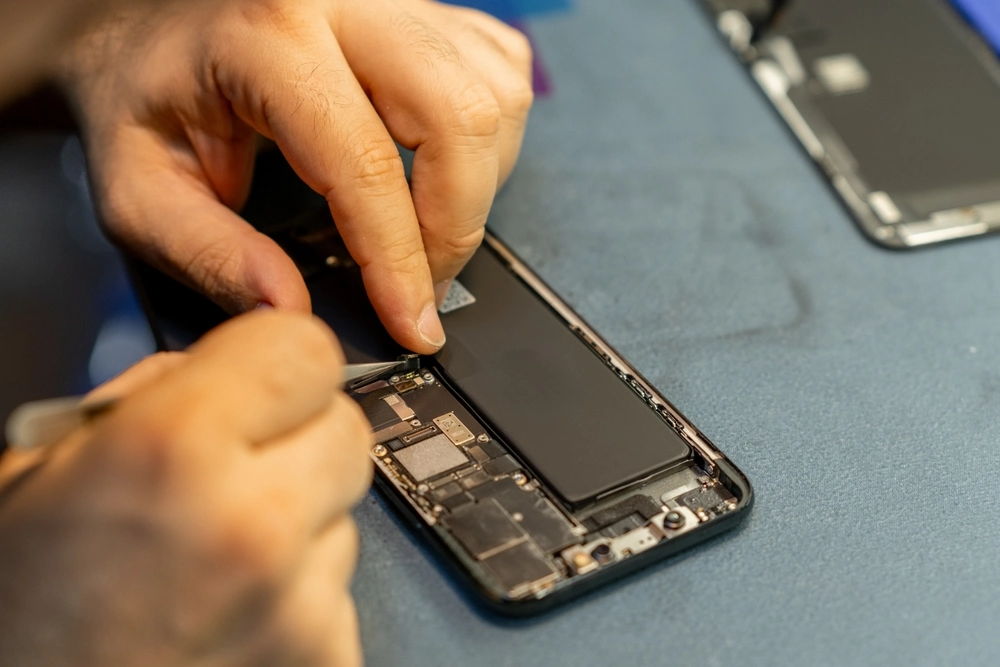
The resounding answer is yes, for most modern smartphones, the battery can be replaced. While some manufacturers have made it more challenging with glued-down components, it’s a routine repair for professionals.
Benefits of Battery Replacement
Replacing the battery offers a host of advantages that make it a compelling choice over buying a new device. First and foremost, it’s significantly more affordable than a new phone, often costing a fraction of the price. You get to keep your familiar device, avoiding the hassle of data transfer and learning a new interface. Environmentally, it’s a more sustainable choice, reducing electronic waste. Most importantly, it restores your phone’s performance, battery life, and often, its speed, giving you another year or two of reliable service.
What to Do When Your Battery is Dying
So, you’ve identified the signs. What’s next? Don’t panic; here’s a practical roadmap.
1. Back Up Your Data
Before you proceed with a battery replacement or any phone repair, make sure all your precious data, photos, contacts, and documents are safely backed up. Use cloud services like Google, iCloud, or an external hard drive. This is non-negotiable and provides a crucial safety net regardless of your next step.
2. Research Repair Options: DIY vs. Professional
Now, consider your repair path.
- DIY: For the technically inclined, replacement kits are available online. However, this path carries risks of damaging other components if not done carefully. This is generally only recommended for those with prior experience and confidence.
- Professional: For most people, a professional repair is the safer and more reliable option. Check authorised service centres for your phone brand or reputable independent repair shops. Get quotes and ask about the warranty on the new battery and labour.
3. Consider a New Phone
While battery replacement is often the best choice, there are times when a new phone makes more sense. If your phone is very old, experiencing other issues (like a cracked screen, failing camera, or outdated software that can’t be updated), or if the cost of battery replacement is disproportionately high compared to its remaining value, then it might be time to upgrade to a high-quality used phone. Perform a simple cost-benefit analysis: how much life will a new battery realistically give you, and is that worth the cost compared to a new device?
Prolonging Your Next Battery’s Life
Once you’ve had your battery replacement done, here are some habits to prolong the life of your new iPhone battery or Samsung battery:
1. Optimal Charging Habits
Avoid routinely draining your battery to 0% and charging it to 100%. Modern lithium-ion batteries prefer to be topped up. Aim to keep your charge between 20% and 80% as much as possible. Avoid “trickle charging” overnight for extended periods if your phone is already at 100%, as this can generate unnecessary heat.
2. Temperature Management
Heat is the enemy of battery life. Avoid leaving your phone in direct sunlight, in a hot car, or under a pillow while charging. Similarly, extreme cold can also degrade battery performance. Try to keep your phone within a comfortable ambient temperature range. Using high-quality mobile phone cases can also help protect your device from minor environmental stresses.
3. Software Updates and Settings
Keep your phone’s operating system updated. Manufacturers often release updates that optimise battery usage. Also, be mindful of background app refresh, push notifications, and screen brightness; these can be major power consumers. Adjusting these settings can significantly extend your battery’s daily life.
The Bottom Line: Don’t Let a Dying Battery Dictate Your Digital Life
A dying phone battery doesn’t have to mean the end of your phone. By recognising the signs and understanding your options, you can make an informed decision. Whether it’s a simple battery replacement or a new device, taking control of your phone’s power situation means taking control of your digital life. Don’t settle for a device that constantly leaves you scrambling for a charger; empower yourself with a fully functional phone.
If you’re asking, “Can a phone battery be replaced?” the answer is yes! At Skyline Mobile, we specialise in mobile accessories and phone reselling, offering a wide range of products to keep your devices running smoothly. Visit us today to explore our extensive collection of mobile accessories and discover the perfect products to breathe new life into your device.