
Wholesale Budi Wireless Accessories
Showing all 4 results
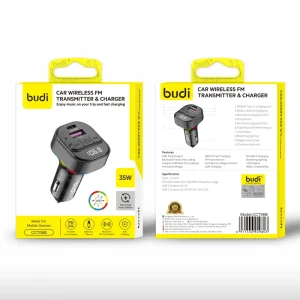
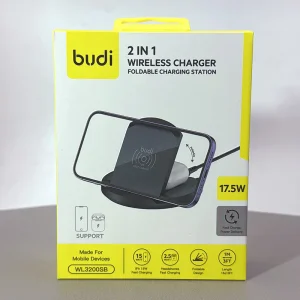
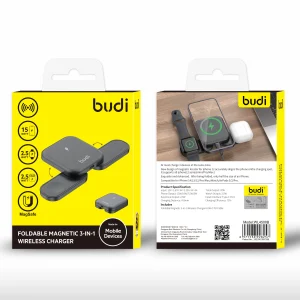
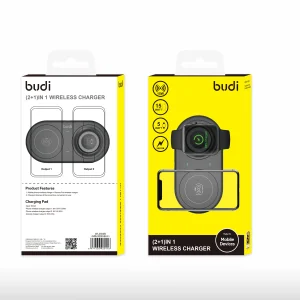
Browse the Budi wireless accessories range at Skyline Mobile when reviewing charging accessories for your shop or customer needs. The category brings related product listings into one place. Check the product specifications for connector type, input and output requirements, device compatibility and any included components. Electrical ratings and supported charging methods vary, so confirm the details shown on each listing rather than relying on the category name.
Frequently asked questions
What can buyers find in the Budi wireless accessories category?
The category is organised around Budi wireless accessories. Check each listing for the current product types and technical details.
Will a charger or power accessory work with every device?
Not necessarily. Verify connector type, electrical requirements and stated compatibility before selecting a product.
What should retailers check before ordering charging accessories?
Review the listed power ratings, ports, applicable certifications or safety information, packaging and wholesale purchasing conditions.
Does a Budi wireless accessory support fast charging for every device?
No single claim should be applied to every product in a charging category. Charging performance depends on the charger and its supported protocol, cable capability, device requirements and sometimes how many ports are used simultaneously. Look for the stated output ratings and any named charging standard on the individual product page. If the necessary details are absent, avoid advertising a speed guarantee. A clear compatibility note is better for both trade buyers and end customers.
How can retailers assess compatibility before stocking Budi products?
Compatibility should be verified using the named device or installation, the listed interfaces and the exact item specification. If an accessory is intended to connect to another product, check both sides of that connection rather than guessing from photographs. When products differ by size, plug format, power requirements or included components, record the distinction in the product description. For Budi items, confirm current variations and suitability through the relevant listing or supplier documentation instead of describing the whole category as universal.
What should a wholesale buyer verify on a Budi product listing?
What should a wholesale buyer verify on a Budi product listing?
What information helps customers choose among Budi wireless charging accessories?
Present products according to their verified function and compatibility, not broad marketing claims. Explain what the item connects to or fits, how it is intended to be used, and what the customer should inspect before purchase. Keep safety, technical performance and material claims tied to the individual listing. A short comparison of the relevant features is more useful than calling every product “premium” or “fast”. If the information is not documented, make that limitation clear and check with the supplier.
How can shops organise and label Budi accessories for easier selection?
Group products by what customers are trying to achieve and by the actual specifications shown on each item. For example, product labels can include the connection type, model or compatibility range, colour and size when those details apply. Keep related but incompatible options separated and ensure that shelf tickets correspond with the item SKU. Before an order or replenishment, verify the selected variation and stock availability. This makes the Budi category more practical for repeat trade purchasing and in-store customer questions.
How do I confirm the exact device before selecting a Budi wireless case?
Check the exact phone model and variant using the device's settings, model number or original documentation, then compare that identification with the individual accessory listing. A similar marketing name is not enough when generations or variants have different body dimensions, buttons or camera assemblies. Review the product photographs and any explicitly stated compatibility list. If the listing does not name the customer's model, do not promise a fit; request clarification before purchase.